Welcome to The User Registration Guide
Prefer to follow the video along in French, Spanish, German, Arabic, Chinese, Hindi, Korean, or Japanese? Click here.
Here are the steps involved in creating a new job Interview Simulations account
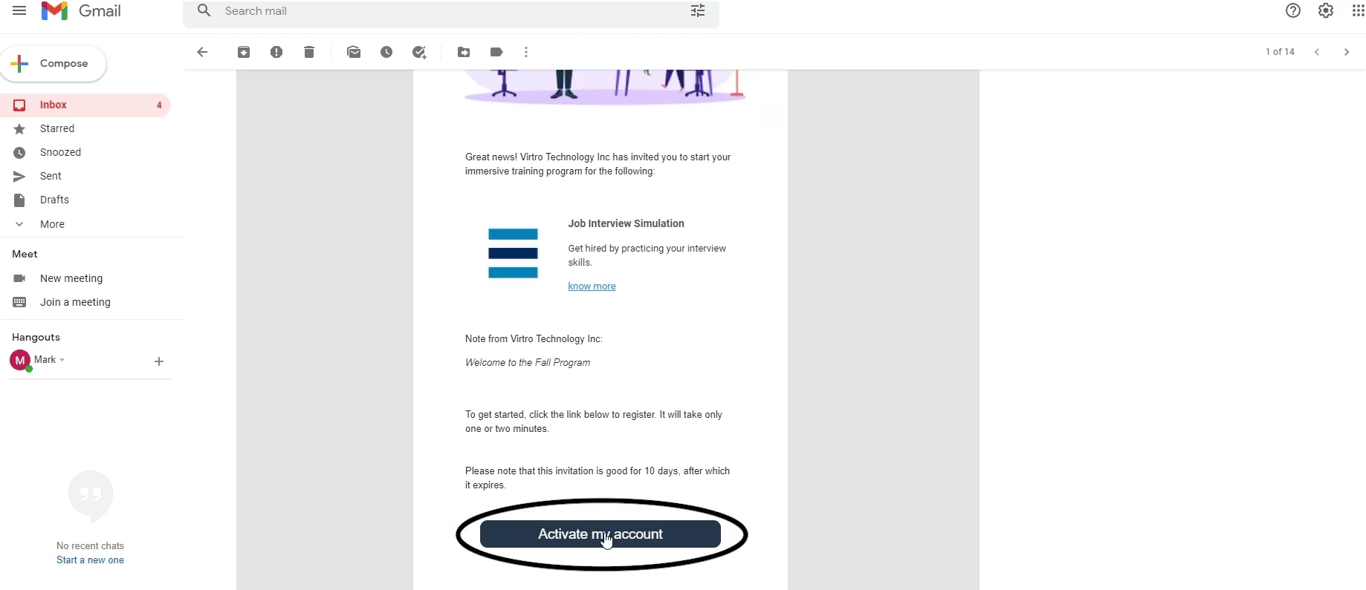
1. Select the account activation email in your inbox. (if the email does not appear, check your spam folders)
2. At the bottom of the email, select 'Activate my account'
3. Enter your email and press 'Continue'
4. Fill in your first and last name, create a password, check the privacy policy, terms and conditions and confirm you are not a robot, and press 'Continue'